
TUI
The terminal UI (TUI) is the live agent-list board plus chat panes opened into individual agent sessions.
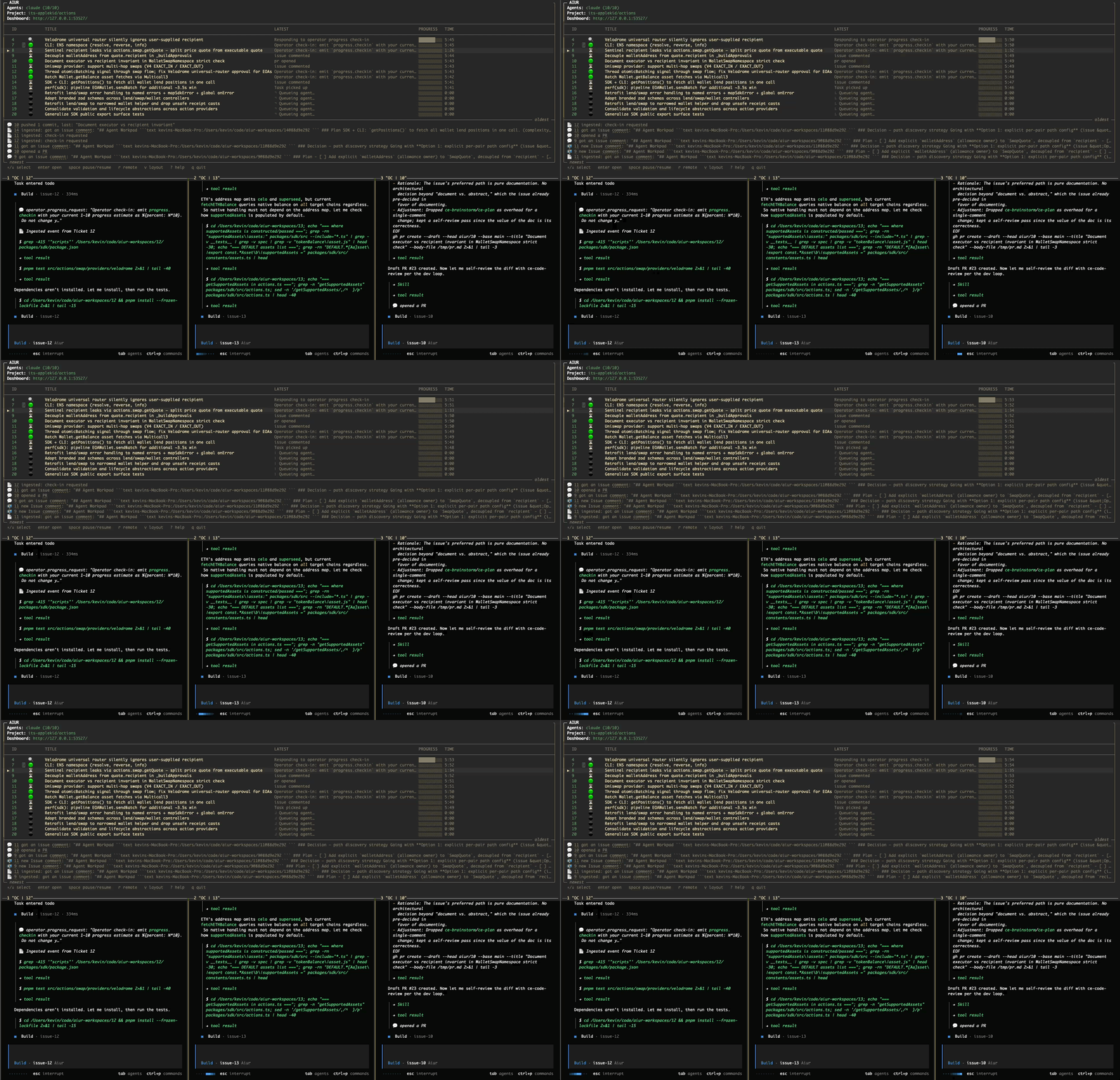
An Executor can chat with an agent directly in the same terminal where the fleet is visible.
| Capability | Result |
|---|---|
| Fleet board | Shows every active ticket in one terminal. |
| Chat pane | Sends text to the selected live agent. |
| Pause and interrupt | Controls work without leaving the board. |
Send a message, watch the agent act on it, and interrupt it without leaving the board.
The agent-list board
The header shows provider usage with its observation age. Retained stale readings carry a [stale] label; Muse readings carry an [account unverified] qualifier.
The board shows one prefixed row per ticket with runtime, backend, pinned model, work state, pause reason, and provider-reported context occupancy; the dashboard Units view shows Aiur orchestration turns beside context.
| Glyph | Meaning |
|---|---|
| ⏳ | warming up: pane not yet ready |
| 🧠 | brainstorming |
| 📋 | planning |
| 🔨 | implementing |
| 🔍 | reviewing |
| 🟢 | working: pane open now, no active phase |
| ⏸️ | agent paused |
| 🔴 | agent in error state |
| 🏁 | awaiting human review: space or chat to reactivate |
| ⚫ | agent waiting (queued, idle, or label only) |
Rows re-sort live: running agents bubble to the top, so the board always leads with the work that is actually moving.
Keys
| Key | Action |
|---|---|
↑ / k | select previous |
↓ / j | select next |
enter | open the selected agent's conversation pane |
shift+enter / O | open in a new pane |
space | pause / resume the selected agent |
← / → | lower / raise the concurrency cap |
a | attach to the selected agent |
r | toggle remote control for the selected agent |
v | toggle pane layout orientation (horizontal ↔ vertical) |
? | toggle the help overlay |
q | quit the agent list |
Press ? in the board for the on-screen keybind and state-circle help.
Chat panes
| Chat behavior | What happens |
|---|---|
enter on running agent | Opens its live conversation beside the board. |
| Message during a turn | Queues until the current turn finishes. |
Ctrl+C in chat | With the dashboard listener available, interrupts active work or pauses an idle agent through Aiur; an already paused pane hides. |
Ctrl+Q in chat | With the dashboard listener available, hides the pane while keeping the agent session available to reopen. |
max_vertical_panes | Caps visible chat panes. |
Muse approval requests
When Muse requests approval, its chat transcript lists each available choice with an exact /approve <approval-id> <requirement-token> <choice-id> reply. Copy the chosen command into that agent's chat input (the dashboard conversation input works too). The token identifies the current native requirement; an old token or unknown choice is rejected.
Ordinary queued messages remain pending while the approval reply is delivered. Aiur confirms delivery after Muse reports the resolution, not merely after accepting the command. No choice is automatic.
Muse's native input dialogs are unsupported. If one arrives, Aiur explains the limitation in chat and requests cancellation. After the turn stops, send your instructions through the ordinary chat input.
Foreground vs. background
| Launch | Terminal behavior |
|---|---|
aiur | Starts the foreground board when absent, or attaches to this repository's live session. Detaching an existing session leaves its run healthy. |
aiur --bg --interactive | Background daemon with an attachable TUI; run bare aiur later from the same repository to attach. |
aiur --bg | Headless; Dashboard and CLI remain available for an agent Executor. |
aiur --debug | Records attached panes at log/record/chat.<issue>.ansi. |
Session lookup is per repository, so concurrent runs in different directories attach independently. Attaching to a default headless --bg session reconnects to its tmux lifetime holder, but it cannot add the TUI processes that were intentionally omitted at launch; use --bg --interactive when later TUI attachment is required.